

Speed optimization
Slow sites rarely have one cause. It is usually a mix of no page cache, bloated builder CSS, oversized images, autoloaded options left by old plugins and unindexed queries. I find which ones apply to your site and fix them.
Services
Page caching matched to your host, plus Cloudflare CDN and DNS set up properly.
Compression, modern formats, correct sizes and lazy loading.
Settings left behind by uninstalled plugins load on every request. On older sites this alone can add seconds.
Heavy plugin queries found with Query Monitor and fixed before they cripple a growing site.
Unused widgets, global CSS and multipurpose theme scripts disabled where they are not needed.
LCP, CLS and INP checked before I call it done.
The terms
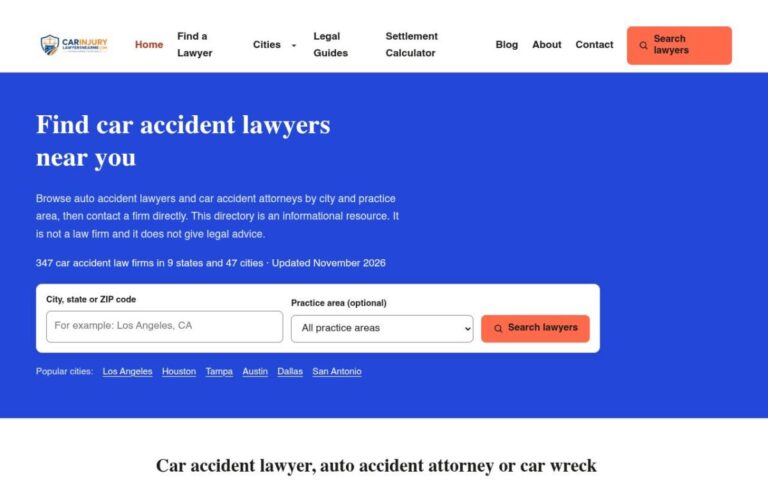
Legal directory
Programmatic city SEO pages from a single template, custom Attorney and LegalService JSON-LD, and a claim-listing system.
Broadcast, custom PHP
Reading-time feature written as a custom PHP hook in the post template, delivered without a plugin.
Medical supply, WooCommerce
Gravity Forms patient registration that auto-populates WooCommerce billing and shipping and persists in user meta.
Questions
Sometimes partly. A cache plugin hides slow PHP and database work for cached pages, but logged-in users, carts and checkouts still hit the slow path. The lasting fix is removing the cause.
Yes. Both are fixable: Elementor through its performance settings and global CSS, WooCommerce through cache rules that respect carts plus database and query work.
It is quoted flat once I have looked at the site. Use the estimate tool on the homepage for a range, or send the URL for a fixed price.
Send the details and I will come back within 12 hours with a plan and a fixed price. Or email james@jameskiarie.site directly.